A widespread LinkedIn account-targeting campaign has inundated LinkedIn support channels with complaints from users who have been locked out of their accounts. The campaign employs various attack methods, potentially including brute force and credential stuffing. Some victims are locked out due to repeated login failures, indicating potential brute force attempts. Credential stuffing involves using stolen username-password combinations from data breaches. Victims report sluggish response times from LinkedIn support. The global campaign pressures account-compromised victims to pay a ransom to prevent their accounts from being deleted.
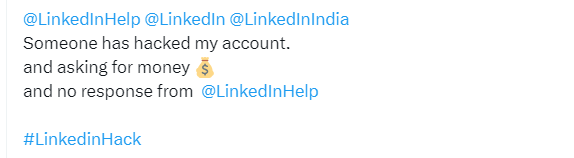
Users are alerted to the takeover when they receive notifications of email address changes associated with their accounts. Many instances reveal the new email addresses are linked to the "rambler.ru" Russian service, though the origin of the attack is uncertain. Such accounts could be exploited for disinformation, malware distribution, phishing, or fraud.
From complaints seen by BleepingComputer, LinkedIn support has shown limited responsiveness and users are growing frustrated. LinkedIn's support account acknowledges delays due to an increase in member inquiries.
“Hey there! 👋 We're experiencing an uptick in questions from our members, causing longer reply times. Rest assured, we're doing our best to assist you! For account-specific inquiries, please DM us the details and your email address. We appreciate your patience. Thanks! 🙌”
The recommended defense against these attacks involves implementing two-step verification (also known as multi-factor authentication, MFA). However, setting up MFA with LinkedIn and Okta can be complex due to LinkedIn's long secret key instead of a QR code. But since it’s safer than using the SMS 2FA, this is how it’s done:
Open Settings & Privacy
Under Sign in & security
Select Two-step verification
Set the option to on and you will be presented with two choices
Choose the Authenticator app method and follow the instructions from there
You will receive an email confirming the change that tells you: From now on, you can use your authenticator app to get a verification code whenever you want to sign in from a new device or browser.
Malwarebytes EDR and MDR removes all remnants of ransomware and prevents you from getting reinfected. Want to learn more about how they can help protect your business? Get a free trial.